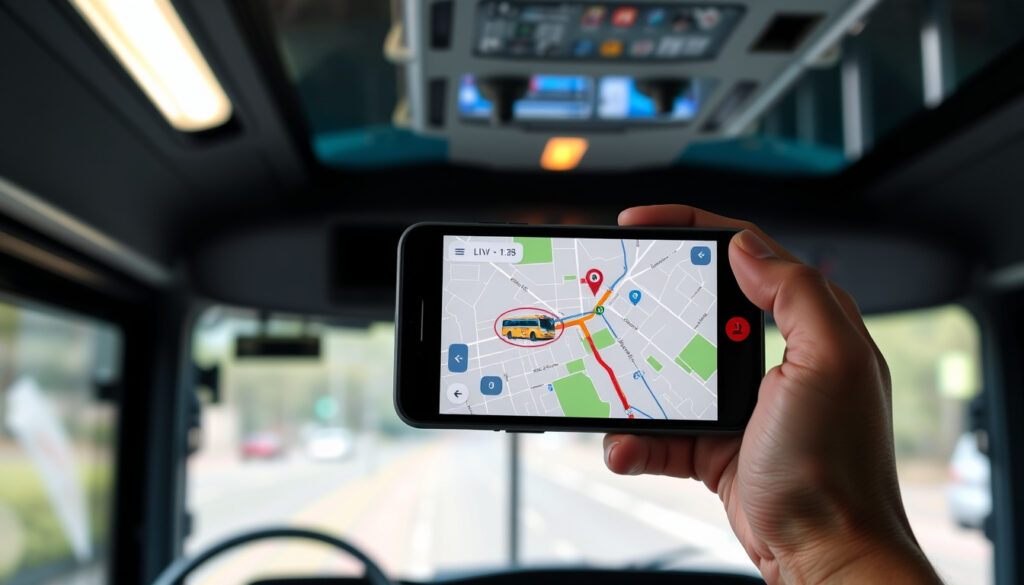
JJ Kavanagh Real Time: How to Track Buses Live
If you’ve ever refreshed a bus tracker at a stop and watched the little coach icon sit still for five minutes, you already know why real-time data decides whether waiting feels fine or futile. JJ Kavanagh and Sons offers live tracking through its free mobile app (operator’s official page), its website’s real-time info pages, and Google Maps’ transit layer — and each route behaves a little differently. Here’s how to use them, what the 735 timetable actually involves, and which sources riders can trust.
Daily passengers: over 1 million journeys last year ·
App store rating: 4.7 stars on iOS ·
Routes served: 717, 735, Dublin Airport, Waterford ·
Real-time tracking: official app, realtime website, and Google Maps
Quick snapshot
- The official JJ Kavanagh app is free on iOS and Android and includes live coach tracking (JJ Kavanagh – Download the App)
- Real-time arrival information covers 100 bus stops and shelters on the network (JJ Kavanagh – Download the App)
- Tickets can be changed up to 2 hours before departure (JJ Kavanagh – Important Ticketing Update)
- Route-by-route Google Maps coverage for JJ Kavanagh is not published anywhere in official material (JJ Kavanagh – Download the App)
- GPS refresh frequency inside the app isn’t listed among the features on the official app page (JJ Kavanagh – Download the App)
- No on-time performance statistics are published for the 735 or other routes (JJ Kavanagh – Download the App)
- 2022: the official app appeared in the iOS App Store (Apple App Store – JJ Kavanagh & Sons)
- The ticketing system update added a live bus tracker inside the app (JJ Kavanagh – Important Ticketing Update)
- The company’s website relaunch promised an enhanced live bus tracker (JJ Kavanagh – Our New Website is Live!)
- The app will stay the primary real-time tool; the operator directs passengers to it for tracking, tickets, and alerts (JJ Kavanagh – Download the App)
- Third-party tools like Transit fill gaps on multi-operator journeys (Transit app (official site))
- Watch the operator’s announcements page for coverage and feature changes (JJ Kavanagh – Our New Website is Live!)
Key facts about JJ Kavanagh’s real-time service
Eight service details, one pattern: the operator’s own platforms — not third-party maps — carry the most complete real-time picture.
| Label | Detail |
|---|---|
| Company type | Largest privately owned coach company in Ireland (JJ Kavanagh (operator’s official site)) |
| Customer app rating | 4.7 stars on iOS (Apple App Store (official iOS listing)) |
| Annual journeys | Over 1 million journeys last year (JJ Kavanagh (official announcement)) |
| Key routes | 717, 735, Dublin Airport, Waterford (JJ Kavanagh (operator’s official site)) |
| Contact number | +353 818 333 222 (JJ Kavanagh – Terms of Travel (official policy)) |
| Real-time info channels | realtime.jjkavanagh.ie plus the mobile app (JJ Kavanagh – Terms of Travel (official policy)) |
| Stops with live arrival info | 100 bus stops and shelters using RTPI (JJ Kavanagh – Download the App) |
| University corridor example | 18 daily services to Maynooth University, Monday to Friday, from the university’s dedicated page (JJ Kavanagh – Maynooth University Bus Services) |
The implication: the 100-stop figure defines the edge of “arrival time” data. Beyond those stops, the live coach position on the map is the better signal.
For an intercity run like the 735, knowing whether the coach has actually left the terminal matters more than the printed timetable — the live tracker is the difference between arriving at the stop five minutes early or forty minutes late.
Can you track the JJ Kavanagh bus?
Yes. The short answer comes with three tools: the official app, the operator’s real-time website, and third-party map apps. The official app is the most complete of the three, because it pairs the live tracker with ticketing and disruption alerts.
Using the official JJ Kavanagh app
- Live coach tracking on compatible journeys — the app shows where the bus is and helps you plan journeys “to the minute” (JJ Kavanagh – Download the App)
- Free download on both iOS and Android (Apple App Store (official iOS listing) and Google Play (official Android listing))
- Ticket purchase, digital QR tickets, and changes up to 2 hours before departure (JJ Kavanagh – Important Ticketing Update)
- Travel alerts when a disruption affects your route (JJ Kavanagh – Download the App)
The app’s 4.7-star iOS rating fits this promise, but a rating measures the whole ticket-and-tracking experience, not just GPS accuracy (Apple App Store – JJ Kavanagh & Sons).
For most riders, this is the one tool to install before a journey. The tracking feature sits beside the ticket wallet, so the app you use to pay is the same one that shows the coach approaching.
Using the Transit app for real-time updates
- Transit gathers live arrivals from multiple transport operators into a single map (Transit app (official site))
- JJ Kavanagh’s 717 and 735 routes are among those with real-time updates in Transit (Transit app (official site))
- Push notifications flag delays without keeping the app open (Transit app (tertiary reference))
Transit is useful when your journey touches more than one operator, because the same interface shows the coach and the rail or commuter connection beside it.
The trade-off: Transit’s feed depends on what each operator shares. JJ Kavanagh’s official pages are the reference if a route looks missing or a position seems stale.
Using Google Maps for live bus location
- Google Maps shows public transport live data where operators publish it, and tapping a stop reveals upcoming departures (Google Maps public transport help (Google’s official support page))
- Route planning on Maps combines JJ Kavanagh coaches with rail and commuter services in one itinerary (Google Maps public transport help (Google’s official support page))
Google Maps is the best planning layer, not the best tracking layer. It shines when you need to compare options, but it doesn’t handle JJ Kavanagh tickets, QR passes, or travel alerts.
The catch: route-by-route live coverage on Google Maps isn’t published. The operator confirms its own app, not Google, as the real-time channel (JJ Kavanagh – Download the App).
The pattern: the operator’s app owns the live bus position, third-party apps widen your view, and the official website is the fallback that always works. For a single JJ Kavanagh journey, the app alone is enough; for a multi-operator trip, run Google Maps or Transit beside it.
What is the timetable for the JJ Kavanagh 735 route?
The 735 is the flagship corridor connecting Waterford and Dublin, and it is the route riders most often want to watch live. The printed timetable still works for planning, but live adjustments change it on the day (JJ Kavanagh (operator’s official site)).
Key stops on the 735 route
- Runs between Waterford and Dublin, with Dublin Airport listed among the operator’s key destinations (JJ Kavanagh – Download the App)
- Sits beside the 717 in the operator’s headline routes (JJ Kavanagh – Download the App)
- Stops with live arrival screens are part of the 100-stop RTPI network (JJ Kavanagh – Download the App)
Frequency and peak hours
- The operator doesn’t publish a route-by-route frequency table for the 735; schedules live in the timetable search (JJ Kavanagh – How to Find Real-Time Transport Information)
- On another corridor — Maynooth University — the company lists 18 daily services Monday to Friday (JJ Kavanagh – Maynooth University Bus Services)
- Peak-hour departures are best confirmed in the app’s real-time search, which shows the next coach regardless of any PDF timetable (JJ Kavanagh – How to Find Real-Time Transport Information)
Where to find the full schedule
- Searchable timetable on jjkavanagh.ie using the Real-time Info boxes (JJ Kavanagh – How to Find Real-Time Transport Information)
- Same search inside the mobile app, with live adjustments for delays (JJ Kavanagh – Important Ticketing Update)
- Live status per route on realtime.jjkavanagh.ie, which the Terms of Travel tell passengers to monitor (JJ Kavanagh – Terms of Travel)
How to track a bus in real time?
All three tools use the same idea: the vehicle sends position data, and the app or website turns that into a map. The operator’s own guidance says to start with the Real-time Info search on jjkavanagh.ie, then watch the route outline once you’ve selected a service (JJ Kavanagh – How to Find Real-Time Transport Information).
Using the JJ Kavanagh app step-by-step
- Open the app and search a journey with From, To, and departure time (JJ Kavanagh – How to Find Real-Time Transport Information)
- Pick the service you plan to take (JJ Kavanagh – How to Find Real-Time Transport Information)
- The route outline and map show the journey’s progress (JJ Kavanagh – How to Find Real-Time Transport Information)
Using Google Maps live transit feature
- Turn on the Transit layer in Google Maps to see public transport lines and stops (Google Maps public transport help (Google’s official support page))
- Tap a stop to see live departure times where the operator’s data is connected (Google Maps public transport help (Google’s official support page))
- Route results show JJ Kavanagh coaches as an option alongside other public transport (Google Maps public transport help (Google’s official support page))
Google Maps handles the planning part well. It’s weaker when you need the operator’s own disruption alerts, because those live only inside the official app (JJ Kavanagh – Download the App).
Using the Transit app for live maps
- Transit’s map shows nearby lines and the next arrival in real time (Transit app (official site))
- Notifications can warn you before a delayed coach leaves you waiting (Transit app (official site))
- Coverage varies by region — check that the route appears before you rely on it (Transit app (tertiary reference))
The takeaway: every tracker is only as good as the feed behind it. The official app and realtime.jjkavanagh.ie are the feeds the operator controls; Google Maps and Transit are conveniences on top.
Is JJ Kavanagh reliable?
The reliability question splits in two: reliability of the bus, and reliability of the tracking data. The first is hard to measure because the operator doesn’t publish on-time statistics; the second is easier, because the app’s live position is a direct signal (JJ Kavanagh – How to Find Real-Time Transport Information).
On-time performance data
- No official on-time performance figures are published for JJ Kavanagh routes; the terms and app pages describe tracking and ticketing, not punctuality statistics (JJ Kavanagh – Terms of Travel)
- JJ Kavanagh says the app helps people plan journeys “to the minute” with real-time coach tracking (JJ Kavanagh – Download the App)
Customer reviews and ratings
- 4.7 stars in the iOS App Store reflects a well-regarded ticket-and-tracking app (Apple App Store (official iOS listing))
- The Google Play listing advertises journey search, ticket storage, and live coach tracking (Google Play (official Android listing))
Comparison with other Irish bus operators
- JJ Kavanagh calls itself Ireland’s largest privately owned coach company and reports over 1 million journeys last year (JJ Kavanagh (operator’s official site) and JJ Kavanagh (official announcement))
- On Google Maps, its coaches appear beside other public transport operators, so riders can compare the next best departure without switching apps (Google Maps public transport help (Google’s official support page))
That last point is the honest comparison. JJ Kavanagh’s own pages won’t tell you how its punctuality stacks up against another operator; Google Maps will show you which option leaves soonest at that moment.
The pattern: riders rate the app highly, but the operator publishes no punctuality data. Treat 4.7 stars as evidence the tooling works, not as evidence every 735 arrives on time.
How can I see the location of a bus on Google Maps live?
Google Maps can show a JJ Kavanagh coach in motion, but only when the transit layer is on and the route’s data is connected. Here’s what to tap, and where the feature stops.
Enabling the transit layer on Google Maps
- Tap the layers icon (stacked diamonds) on the map screen and choose “Transit” (Google Maps public transport help (Google’s official support page))
- Colored transit lines and stop markers appear; bus icons show operator services (Google Maps public transport help (Google’s official support page))
- Numbers on stops show next departures in minutes where live data exists (Google Maps public transport help (Google’s official support page))
Checking real-time arrival for JJ Kavanagh routes
- Search a stop or destination — Waterford, Dublin Airport, or a named stop — to see upcoming departures (Google Maps public transport help (Google’s official support page))
- Tapping a route shows its live status and any delays the operator’s feed shares (Google Maps public transport help (Google’s official support page))
- Cross-check with the official app if the Maps departure time doesn’t match the timetable (JJ Kavanagh – Download the App)
Limitations of Google Maps vs dedicated app
- Not every JJ Kavanagh route is confirmed to appear in real time on Google Maps; official pages don’t list route-by-route map coverage
- Maps won’t sell you a ticket, store a QR pass, or send JJ Kavanagh travel alerts (JJ Kavanagh – Download the App)
- The realtime.jjkavanagh.ie page and the app are the only channels the Terms of Travel tell passengers to monitor (JJ Kavanagh – Terms of Travel)
The catch: Google Maps is a window, not the control room. Use it to spot the coach, then use the official app for anything that costs money or time if things go wrong.
Google Maps adds convenience, but the operator’s terms point passengers to realtime.jjkavanagh.ie and the app as the channels to monitor (JJ Kavanagh – Terms of Travel). A third-party feed that goes stale can cost you a departure — the official tracker is the tie-breaker.
Step by step: track a JJ Kavanagh coach in real time
The operator’s official how-to guide for real-time transport information is simpler than most people expect. These steps work on any browser, or in the app for the same experience on mobile (JJ Kavanagh – How to Find Real-Time Transport Information).
- Go to jjkavanagh.ie and open the Real-time Info search boxes (JJ Kavanagh – How to Find Real-Time Transport Information)
- Enter the From location, To location, and departure time (JJ Kavanagh – How to Find Real-Time Transport Information)
- Choose the service that matches your planned journey (JJ Kavanagh – How to Find Real-Time Transport Information)
- Use the route outline and map to follow the coach as it moves (JJ Kavanagh – How to Find Real-Time Transport Information)
- In the app, the same search is tied to your ticket wallet, so the journey you’re tracking is the ticket you’ll show the driver (JJ Kavanagh – Important Ticketing Update)
That’s the whole workflow. No account is needed for the website search; the app adds the ticket layer once you log in.
The same steps work on desktop and mobile. What changes is the context: in the app, the live tracker, the ticket, and disruption alerts live on the same screen — one less app to juggle at the stop (JJ Kavanagh – Important Ticketing Update).
What’s confirmed and what’s unclear
Separating hard fact from open questions keeps the real-time decision honest. Here is the confirmed list and the still-unclear list.
Confirmed facts
- The official app tracks coaches in real time and is free on iOS and Android (JJ Kavanagh – Download the App)
- Real-time arrival information covers 100 stops and shelters via RTPI (JJ Kavanagh – Download the App)
- Ticket changes are possible up to 2 hours before departure (JJ Kavanagh – Important Ticketing Update)
- Travel alerts reach passengers when a route is disrupted (JJ Kavanagh – Download the App)
What’s unclear
- Route-by-route Google Maps coverage for JJ Kavanagh is not published
- GPS refresh frequency in the app is not documented on the official page (JJ Kavanagh – Download the App)
- No on-time performance statistics are published per route
- Third-party transit feeds are not verified against official data in any public source
- Whether the realtime website updates faster than the app is not stated
What JJ Kavanagh’s own material says
Three official descriptions, two app stores, one consistent claim: the app is the center of the real-time experience.
The official app provides real-time coach tracking and helps customers plan journeys to the minute.
JJ Kavanagh – Download the App (operator’s official site)
Users can use real-time information to view timetables and track journey progress while traveling.
Apple App Store – JJ Kavanagh & Sons (official iOS listing)
The app allows users to search journeys, book and store tickets, and track their coach in real time.
Google Play – JJ Kavanagh & Sons (official Android listing)
What none of these sources publish is raw GPS latency or punctuality stats. “Real time” in the marketing material means the next scheduled coach seen through a live map, not a second-by-second telemetry feed.
JJ Kavanagh’s real-time setup is practical rather than flashy: a free app that tracks coaches, sells tickets, and warns of disruption, backed by a realtime website and third-party maps. The gaps are coverage boundaries — 100 RTPI stops, unverified Google Maps routes, no published punctuality figures. The choice for regular riders on the 735 and 717 corridors is clear: keep the official app on your home screen for tickets and live position, and treat Google Maps and Transit as planning aids — or risk trusting a third-party feed that none of the operator’s pages actually vouch for.
jjkavanagh.ie, jjkavanagh.ie, jjkavanagh.ie, trustpilot.com, jjkavanagh.ie, jjkavanagh.ie, jjkavanagh.ie, jjkavanagh.ie
Frequently asked questions
How do I book a ticket for JJ Kavanagh?
The fastest route is the official app: purchase, changes, and digital QR tickets all live there, and the app is free on iOS and Android (JJ Kavanagh – Download the App). You can also book on jjkavanagh.ie and show the digital ticket to the driver directly through the app (JJ Kavanagh – Important Ticketing Update).
What is the JJ Kavanagh contact number?
The customer contact number listed on the operator’s official materials is +353 818 333 222 (JJ Kavanagh – Terms of Travel).
Does the JJ Kavanagh app work on Android?
Yes. The app is listed on Google Play with journey search, ticket storage, and live coach tracking (Google Play – JJ Kavanagh & Sons).
Can I use a contactless card to pay on JJ Kavanagh?
The official guidance focuses on app-based ticketing: buy in the app, receive a digital QR ticket, and show the ticket to the driver when boarding (JJ Kavanagh – Important Ticketing Update). Contactless acceptance at the driver isn’t documented on the operator’s ticketing or real-time pages.
Are there discounts for students on JJ Kavanagh?
The operator runs dedicated university services, listing 18 daily departures to Maynooth University on weekdays (JJ Kavanagh – Maynooth University Bus Services) and a separate service page for SETU Carlow (JJ Kavanagh – SETU Carlow). Student fares and eligibility live on those university pages.
How do I report a lost item on a JJ Kavanagh bus?
Start with the customer contact number on the operator’s official pages: +353 818 333 222 (JJ Kavanagh – Terms of Travel). Your app ticket and booking record give you the journey details to reference when you call.
Does JJ Kavanagh offer airport transfers?
Yes — Dublin Airport is listed among the operator’s key destinations, and the official app covers those journeys with the same real-time tracking and ticket tools (JJ Kavanagh – Download the App).
Related reading
- Irish Ferries Rosslare to Pembroke: Timetable, Prices & Tips — another Irish transport operator guide with timetables and practical planning.
- Best Road Trip Apps 2025: Free & Paid Planners Compared — live navigation and journey-planning apps for longer trips.
More related posts
 Can Dogs Eat Rice? Safety, Benefits, and Risks for Dogs
 Weather for Next Week in Ireland: Met Éireann Forecast
 Free Live Ship Tracking: Track Ships Online in Real Time
 Apple Watch Series 3 in 2026: Still Good or Outdated
 An Irish Airman Foresees His Death: Analysis & Meaning
 What is an API? A Simple Explanation for Beginners
 How to Program a Garage Door Opener: Step-by-Step Guide (2025)
 Red Cow Park and Ride: Tariffs, Payment, Capacity & Tips