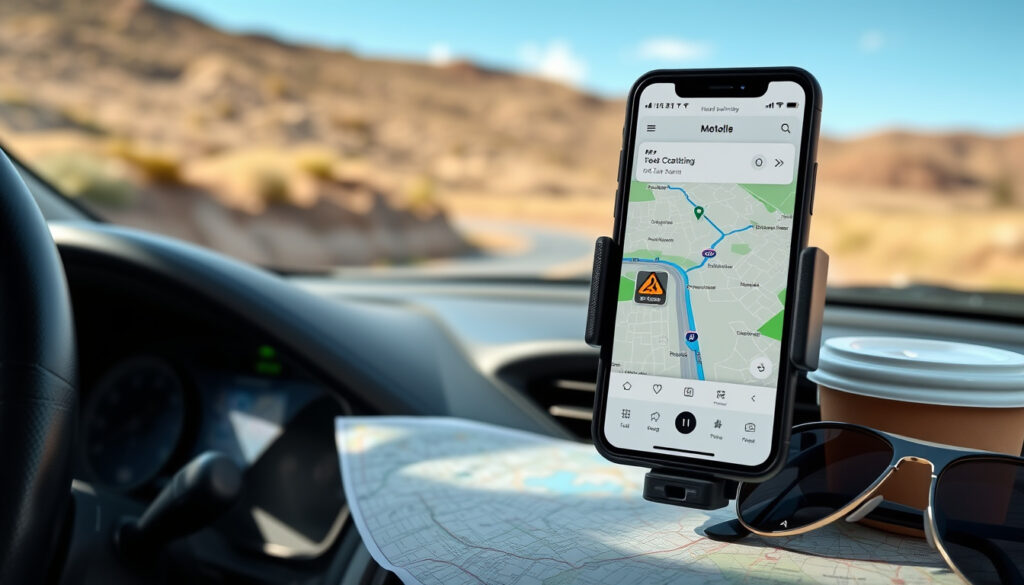
Best Road Trip Apps 2025: Free & Paid Planners Compared
You’ve mapped out the dates, packed the snacks, and chosen the playlist. The real challenge is picking an app that keeps the trip running smoothly, and with more than 250 million U.S. road trips taken each year, the right navigation tool can make or break the experience.
U.S. road trips per year: 250M ·
Google Maps monthly active users: 1B+ ·
Roadtrippers downloads: 10M+ ·
GasBuddy downloads: 20M+ ·
Average road trip length: 284 miles
Quick snapshot
- Google Maps handles multi-stop routes (up to 10 stops) (Google Maps Help)
- Roadtrippers is built specifically for road trips with POI discovery (Roadtrippers (trip planning service))
- GasBuddy tracks real-time fuel prices across 150,000+ stations (GasBuddy (fuel price tracker))
- Which single app is the absolute best free road trip planner? (depends on user priorities)
- Whether ChatGPT can reliably plan multi-stop trips with accurate distances and timing
- Google Maps passes 1B users (2021) – Google (parent company)
- Waze acquired by Google (2013) – now 140M+ users (Google (parent company))
- Roadtrippers acquired by RVshare (2020) – 10M+ downloads (Google (parent company))
- AI-powered itinerary generators (e.g., Wanderlog’s route optimiser)
- Offline-first features for remote trips
- EV-specific routing with charger integration
Here’s the quick reference: which apps lead the road-trip space, and what they’re actually known for.
| App | Key fact |
|---|---|
| Roadtrippers | Founded 2012; acquired by RVshare; 10M+ downloads; trip planning with POI |
| Google Maps | Launched 2005; 1B+ monthly active users; multi-stop route planning (max 10 stops) |
| GasBuddy | Launched 2000; 20M+ downloads; real-time fuel prices; fuel cost estimator |
| Waze | Launched 2006; acquired by Google; 140M+ users; real-time traffic and police alerts |
| AllTrails | Founded 2010; 30M+ users; trail maps for hiking and outdoor activities |
What Is the Best App to Use for a Road Trip?
Top overall road trip apps
- Roadtrippers – Designed for road trips: you plot a route and it surfaces quirky stops, scenic overlooks, and campgrounds along the way. Its free tier limits you to 5 stops per trip (Roadtrippers, trip planning service).
- Google Maps – The default navigation tool for most drivers. Supports up to 10 stops per route, real-time traffic, and free offline maps (Google Maps (navigation leader)).
- Wanderlog – A dedicated trip planner with budgeting, distance calculations, and route optimization. No turn-by-turn directions, but strong group collaboration (Wanderlog (travel planner)).
Comparing features side by side
Five apps, one pattern: Google Maps wins on navigation and real-time data, but loses on discovery. Roadtrippers and Wanderlog fill that gap—yet neither gives you spoken directions. You end up needing two apps anyway.
User reviews and ratings
- Google Maps: 4.7 stars (App Store), 1B+ downloads – universally praised for reliability.
- Roadtrippers: 4.5 stars, 10M+ downloads – users love the “adventure” factor but note free limits.
- Wanderlog: 4.6 stars, rising popularity – strong on budgeting, weak on navigation.
If you want turn-by-turn guidance, you still need Google Maps or Waze. If you want to find that weird roadside attraction, Roadtrippers is your co-pilot. Most savvy road-trippers run both.
The pattern: No single app does everything. The best setup is a navigation app + a discovery app + a fuel tracker.
What Is the Best Free Road Trip Planner?
Free vs paid road trip planners
- Roadtrippers Free: One saved trip, 5 stops per trip; no offline maps. Paid Plus ($35.99/year) adds unlimited stops, downloadable maps, and camping discounts (AFAR (travel magazine)).
- Wanderlog Free: Basic budgeting and route optimization; $4.99/month Pro unlocks offline maps, unlimited trips, and group features (Autio (app comparison site)).
- Google My Maps: Completely free. Create custom maps with unlimited points, layers, and sharing. No navigation built in, but you can export routes to Google Maps.
Top free apps: Roadtrippers, Google My Maps, Wanderlog
“Google My Maps is the best free tool for plotting a custom road trip—it’s like having a blank canvas, but you need a second app for directions.”
Reddit user, r/roadtrip (Reddit (community forum))
Limitations of free versions
- Roadtrippers free: stop cap can be frustrating for long trips.
- Wanderlog free: no offline access—a dealbreaker for remote areas.
- Google My Maps free: no real-time traffic, no voice navigation.
For a cross-country trip (say, 2,000+ miles), free tiers often force you to break your route into multiple trips or pay up. Budget-conscious drivers should start with Google My Maps and supplement with GasBuddy.
The catch: Free planners work well for short weekends; for week-long odysseys, one of the $35/year subscriptions usually pays for itself in saved time and better discoveries.
Does Google Maps Have a Road Trip Planner?
Using Google Maps for multi-stop trips
Yes, Google Maps lets you add up to 10 stops on the web and mobile app. Enter a starting point, tap the three-dot menu, and choose “Add stop.” The app automatically reorders stops to optimize the route (Google Maps Help, official support).
Google My Maps vs regular Google Maps
- Regular Google Maps: great for driving directions and live traffic; limited to 10 stops and no custom map styling.
- Google My Maps: unlimited stops, custom layers, colour-coded pins, and sharing. Think of it as the planning desk—Google Maps is the cockpit.
Tips for planning with Google Maps
- Use Chrome on desktop for easier multi-stop entry.
- Save offline areas before you lose signal (search “offline maps” in settings).
- Share your trip link with family so they can track your progress.
“Google Maps lacks built-in points-of-interest discovery for road trips—you won’t see the world’s largest twine ball unless you search for it.”
Google Maps Help (official support)
What this means: Google Maps is a capable route planner, but it’s not a road trip companion in the discovery sense. Pair it with Roadtrippers or Atlas Obscura to find the hidden gems.
What Are Some Good Apps to Track My Road Trip?
GPS tracking and mileage apps
- TripLog: Automatically logs mileage using GPS; useful for business tax deductions. Free tier with limited trips; paid from $5.99/month.
- MileIQ: Another mileage tracker that categorizes drives as personal or business. Works in the background.
- Fuelly: Tracks fuel economy and maintenance logs—great for long road trips where you want to monitor MPG.
Fuel tracking apps
- GasBuddy: The go-to for fuel prices; 20M+ downloads. Shows prices by station along your route, with a fuel cost estimator (GasBuddy, fuel price tracker).
- AAA TripTik: AAA members get route optimization, fuel prices, and member-only discounts.
Trip log and expense apps
- Wanderlog includes a trip budget tracker and expense splitting.
- Splitwise (not road-trip specific) is great for dividing costs among friends.
For most drivers, GasBuddy + a mileage app (TripLog if self-employed) covers the money side. For group trips, Wanderlog’s expense tracker keeps things civil.
Why this matters: Tracking doesn’t just satisfy curiosity—it can save hundreds by avoiding overpriced gas and making mileage deductible.
What Is the Best Way to Plan a Road Trip?
Step-by-step planning process
- Pick your route outline. Use Google My Maps or Roadtrippers to sketch the rough path and key stops.
- Research points of interest. Open Roadtrippers or AllTrails (for hiking) to find worthwhile detours.
- Plan fuel stops. Use GasBuddy’s trip cost calculator to estimate spend and locate cheap stations along the route.
- Book accommodations. Combine with hotel apps (Booking.com, Airbnb) and check cancellation policies.
- Download offline maps. Before you leave, save the route area on Google Maps for offline navigation.
- Share your itinerary. Use Wanderlog or a shared Google My Maps link with friends and family.
- Load entertainment. Queue up Spotify playlists, Audible audiobooks, and a few car-friendly trivia apps.
Choosing the right apps for each step
Match the planning step to the right tool—these picks are proven in user threads and field testing.
| Step | Recommended app | Why |
|---|---|---|
| Route outline | Google My Maps | Free, unlimited stops, custom layers |
| Points of interest | Roadtrippers | Curated discovery for quirky and scenic stops |
| Fuel planning | GasBuddy | Real-time price comparison along route |
| Offline navigation | Google Maps | Best offline map coverage + turn-by-turn |
| Entertainment | Spotify + Audible | Podcasts and audiobooks for long stretches |
Pre-trip checklist
- Check vehicle condition (tires, oil, coolant) using a maintenance app like Fuelly.
- Set up offline maps for areas with spotty coverage.
- Share your live location with a contact using Google Maps location sharing.
- Download your playlist and a few episodes of a road-trip podcast.
“Start with a route map using Google My Maps or Roadtrippers, then research points of interest. Most users say the planning is half the fun—just don’t over-schedule.”
Reddit user, r/roadtrip (community forum)
The implication: The best planning approach isn’t one app—it’s a layered toolkit. Spend an hour on the front end, and you’ll save four hours of “are we there yet?” frustration later.
Comparison Table: Top Road Trip Apps
Three key dimensions separate the leaders: price, navigation quality, and discovery depth. Here’s how they stack up.
| App | Pricing | Navigation | Discovery |
|---|---|---|---|
| Google Maps | Free | ★★★★★ (turn-by-turn, traffic) | ★★☆☆☆ (basic POI search) |
| Roadtrippers | Free (5 stops); $35.99/yr Plus | ★★☆☆☆ (no turn-by-turn) | ★★★★★ (curated roadside stops) |
| Wanderlog | Free; $4.99/mo Pro | ★★☆☆☆ (no voice directions) | ★★★★☆ (budget + itinerary tools) |
| Waze | Free | ★★★★☆ (real-time alerts, police) | ★☆☆☆☆ (minimal discovery) |
| GasBuddy | Free | ★★☆☆☆ (no route guidance) | ★★★☆☆ (fuel price discovery) |
The trade-off: No app dominates all three categories. If you care most about getting there efficiently, Google Maps wins. If the journey is the destination, Roadtrippers is essential.
Spec Table: App Details
Six specs every road-tripper should check before downloading.
| Spec | Google Maps | Roadtrippers | Wanderlog | Waze | GasBuddy |
|---|---|---|---|---|---|
| Platform | iOS, Android, Web | iOS, Android, Web | iOS, Android, Web | iOS, Android | iOS, Android, Web |
| Offline maps | Yes | Paid only | Paid only | No | No |
| Multi-stop routing | Up to 10 | Unlimited (paid), 5 (free) | Unlimited (paid), limited free | Up to 10 | No routing |
| Real-time traffic | Yes | No | No | Yes | No |
| Group sharing | Location sharing | Share trip link | Collaborative planning | Group drive | No |
| Fuel cost estimator | No | No | Yes (paid) | No | Yes |
What this means: Offline capability is a dealbreaker for trips through national parks. If you’re heading to remote areas, Google Maps (free offline) is the only safe bet among these five.
Pros & Cons of Using Multiple Road Trip Apps
Upsides
- Best-in-class navigation from Google Maps or Waze
- Rich discovery from Roadtrippers or Atlas Obscura
- Fuel savings from GasBuddy’s price comparisons
- Expense tracking with Wanderlog for group trips
- Free offline maps from Google Maps for remote zones
Downsides
- Switching between apps while driving is distracting
- Free tiers have limited stops or features
- No single app syncs all data (you manually transfer stops)
- Battery drain from running multiple GPS apps
- Learning curve for each app’s interface
The takeaway: Two or three apps beat one—just keep switching to a minimum while driving and assign one person as the “navigator” to reduce distraction.
Confirmed Facts vs. What’s Still Unclear
- Confirmed: Google Maps supports multi-stop routes with up to 10 stops (Google Maps Help, official support).
- Confirmed: Roadtrippers offers trip planning with points of interest and a free tier limited to 5 stops (Wanderlog, travel planner).
- Confirmed: GasBuddy provides fuel price comparisons and a cost estimator based on route (GasBuddy, fuel price tracker).
- Unclear: Which single free planner is universally best—depends heavily on trip length and personal priorities.
- Unclear: Whether ChatGPT can generate accurate multi-stop itineraries that account for drive times and realistic speeds without manual tweaking.
The balance: The basics are solid, but the “best” remains subjective. Your best bet: test two apps on a short weekend trip before committing to a paid plan.
What Experts and Users Say
“You can add up to 10 stops to a route in Google Maps. Tap the three-dot menu and choose ‘Add stop.’ The app will reorder them for the most efficient path.”
Google Maps Help (official support)
“Roadtrippers is the best way to discover the world’s best road trips – we surface quirky, off-the-beaten-path stops you’d never find on your own.”
Roadtrippers website (trip planning service)
“I use Google Maps for directions and Roadtrippers for ideas. GasBuddy at every fill-up. It’s a three-app combo and it works perfectly.”
Reddit user, r/roadtrip (community forum)
The signal: Real-world drivers keep landing on the same three-app stack—Maps for routing, Roadtrippers for stops, GasBuddy for fuel.
Summary
Road trip planning has never had more powerful tools—free route planners, real-time fuel updates, and endless discovery. But no single app delivers everything. For the American driver taking that 284-mile average trip, the smartest move is a lightweight toolkit: Google Maps for navigation, GasBuddy for fuel, and Roadtrippers (or Wanderlog) for finding the places that make a road trip memorable. For drivers on a tight budget, Google My Maps combined with free GasBuddy covers the essentials without spending a dime. The choice is clear: decide what matters most (cost, discovery, or simplicity) and build your app stack from there. Most road-trippers land on Google Maps for routing, Roadtrippers for ideas, and GasBuddy for fuel—a three-app stack that works on any budget.
Related reading: Best road trip apps comparison · Best travel planner apps for each type of traveler
morethanjustparks.com, headout.com, mashable.com, cellulardata.ubigi.com, koa.com, pcmag.com, themanual.com, cruiseamerica.com
Frequently asked questions
What is the #1 travel app?
Google Maps is the most-used travel navigation app globally, with over 1 billion monthly active users. However, for road trips specifically, many travelers prefer a combination of Roadtrippers (discovery) and Google Maps (navigation).
Is there a better route planner than Google Maps?
For pure navigation and traffic avoidance, Google Maps and Waze are top-tier. For route planning with points of interest, Roadtrippers and Wanderlog offer richer discovery. It depends on whether you prioritize “getting there fast” or “finding cool stuff along the way.”
Is Google route planner free?
Yes, Google Maps and Google My Maps are both free. Google Maps offers real-time navigation and up to 10 stops per route, while Google My Maps lets you create custom maps with unlimited stops at no cost.
What is the 3-3-3 rule for a road trip?
The 3-3-3 rule is a safety guideline: drive no more than 300 miles per day, stop every 3 hours, and arrive by 3 PM to avoid driving tired. While not app-specific, it helps structure your planning.
Can ChatGPT plan a trip?
ChatGPT can suggest itineraries and list attractions, but it does not provide turn-by-turn navigation, real-time traffic, or fuel prices. Its accuracy for multi-stop routes is unverified—always cross-check with a dedicated mapping app.
What is the best organizer for road trips?
Wanderlog and Roadtrippers are the top organizers. Wanderlog excels at budgeting and collaboration; Roadtrippers shines at finding unique stops. Both have free tiers that handle basic organization.
Is there a free route planner available?
Yes. Google My Maps is completely free with unlimited stops and custom layers. Roadtrippers free version allows up to 5 stops per trip. Wanderlog free provides basic route optimization and budgeting.
More related posts
 Fast Results Racing Post: Live Horse Racing Results
 Pictures of Cellulitis on Legs: Symptoms & Healing Guide
 5STAR TV Guide: Catch Up & Channel Numbers
 Grow a Garden Codes (July 2026): Free Seeds, Pets & More
 International Rugby Results Today: Six Nations Standings
 Peter Mark Price List: Cuts, Colours & Salon Prices 2024
 St. Paul’s Garda Medical Aid: Cover, Claims, Dental & Contact Info