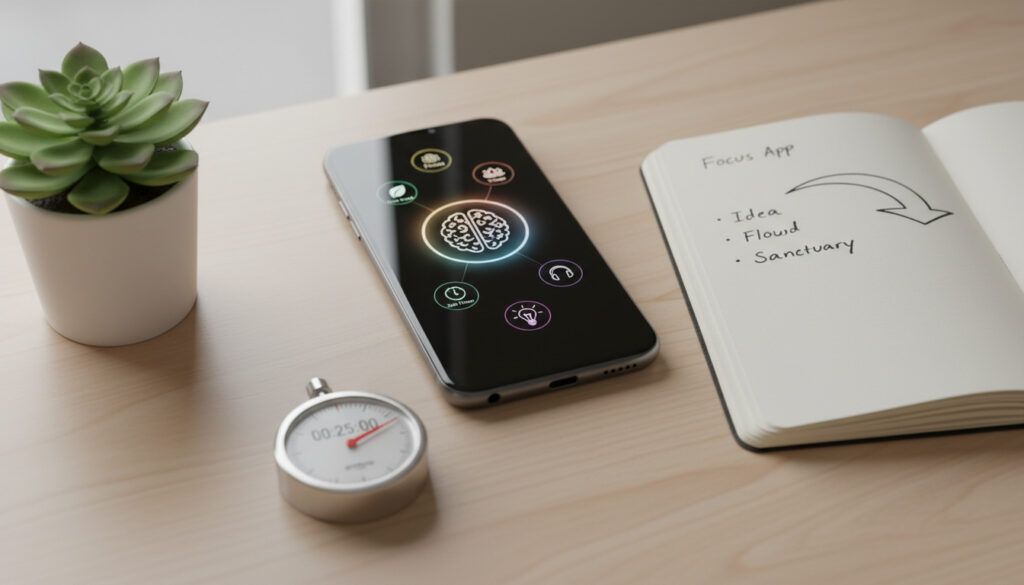
Best Apps for Focus and Concentration – Top 2024 Picks Tested
Modern productivity requires more than willpower. Digital focus applications now leverage behavioral psychology, aggressive blocking technology, and ambient sound engineering to combat notification fatigue and attention fragmentation across professional and academic environments.
The current marketplace divides into distinct functional categories. Pomodoro timers enforce structured work intervals, typically 25 minutes of concentration followed by 5-minute recovery periods. Distraction blockers restrict access to social media and messaging platforms at the system level. Ambient sound generators mask disruptive environmental noise with engineered audio landscapes. Cross-platform synchronization has become essential, allowing users to maintain productivity boundaries across mobile devices and desktop workstations.
Selection criteria vary by cognitive requirements. Students need break reminders preventing academic burnout. Remote workers require robust blocking mechanisms that function across multiple operating systems. Neurodivergent users benefit from visual task cues and rigid routine structures that traditional flexibility undermines. Understanding these distinctions determines whether an application enables genuine productivity or merely tracks time.
What Are the Best Apps for Focus and Concentration in 2024?
Independent testing and user reviews identify five applications consistently outperforming competitors across reliability, blocking effectiveness, and user experience. Each serves distinct workflow requirements.
Automatic app blocking, ambient sounds, habit integration. Free core; Pro optional. iOS, Mac, iPad, Vision Pro.
Aggressive cross-device blocking, visual routines, guided breaks. $4.99/month. macOS, Windows, iOS, Android.
Virtual tree growth mechanics, phone addiction reduction. $3.99 one-time. iOS, Android, Chrome.
Intent-setting, tagging, reflection prompts, iCloud sync. $3.99/month. macOS, iOS.
Analysis of feature sets reveals six critical factors distinguishing effective tools from basic timers:
- Aggressive blocking capabilities produce measurable focus gains superior to self-discipline alone according to user testing
- Cross-platform support remains fragmented; only Focus Bear offers comprehensive Android, iOS, Mac, and Windows compatibility
- Free tiers adequately serve basic Pomodoro timing, while paid subscriptions unlock device synchronization and analytics
- ADHD-specific applications prioritize functional visual cues over interface polish, addressing time blindness through structured routines
- Gamification increases session adherence but typically excludes ambient sound integration
- Scientific validation supports 25/5 minute cycles for preventing cognitive burnout, particularly among students
| Application | Core Mechanism | Pricing Model | Platform Coverage | User Rating | Primary Use Case |
|---|---|---|---|---|---|
| Habi | Blocking + Habits | Free / Pro | iOS, Mac, iPad, Vision Pro | 4.5-5.0 | Integrated productivity |
| Focus Bear | Aggressive Blocking | $4.99/mo or $49.99/yr | macOS, Windows, iOS, Android | 4.0-4.8 | ADHD/neurodivergent |
| Forest | Gamification | Free / $3.99 | iOS, Android, Chrome | 4.5-4.8 | Phone addiction |
| Session | Analytics + Intent | Free / $3.99/mo | macOS, iOS | 4.0-4.5 | Deep work tracking |
| Focus Keeper | Simple Pomodoro | Free / Paid | iOS | 4.5-4.8 | Students, procrastination |
| Tide | Ambient Sounds | Free / $1.99/mo | iOS, Android, macOS | 4.0-4.5 | Audio masking |
| Morgen | Time Blocking | $15/mo | Cross-platform | 4.9-5.0 | ADHD scheduling |
| Todoist | Task Integration | $5/mo | Cross-platform | 4.5-4.6 | Task management |
What Are the Best Free Focus Apps?
Cost-effective concentration tools fall into two categories: fully free applications with premium upgrades, and robust free tiers within paid ecosystems. Forest offers substantial functionality without payment, allowing virtual tree cultivation and basic app blocking across mobile devices. Habi provides core timing, habit tracking, and task management without subscription fees, though Pro features unlock advanced blocking.
Focus Keeper maintains accessibility for students through straightforward 25/5 interval timing without cost barriers. Tide delivers full ambient sound libraries—rainfall, coffee shop ambience, white noise—on its free tier, though it lacks website blocking capabilities. These limitations prove acceptable for users primarily battling auditory distractions rather than digital temptations.
Setting appropriate boundaries enhances free app effectiveness. Configuring an Out of Office Message – Setup Guide for Gmail and Outlook creates external expectations matching internal focus sessions, reducing email anxiety during blocked periods.
How Do Focus Apps Work and Help with Concentration?
Effective concentration software operates through three distinct psychological mechanisms. Understanding these processes clarifies why certain applications succeed where others fail.
Pomodoro Methodology and Cognitive Pacing
The Pomodoro Technique structures work into intervals—traditionally 25 minutes of concentrated effort followed by 5 minutes of restorative break. Focus Keeper and similar applications automate this cadence, preventing the hyperfocus-induced burnout common among knowledge workers. The rhythmic alternation maintains cognitive freshness across extended projects.
System-Level Distraction Blocking
Modern blocking extends beyond browser extensions to operating system restrictions. Habi and Focus Bear implement hard-to-bypass barriers preventing access to specified applications and websites during focus sessions. This aggressive approach acknowledges willpower depletion; removing temptation proves more reliable than resisting it. Calendar App analysis indicates blocking represents the single largest determinant of focus improvement across tested applications.
Users report that non-bypassable blocking—where quitting the app or restarting the device fails to disable restrictions—correlates with the highest productivity gains. Soft blocking, which allows easy override, typically fails within the first week of use.
Auditory Engineering and Environmental Masking
Tide and similar platforms utilize binaural beats and engineered soundscapes to mask disruptive environmental noise. These auditory tools prove particularly effective in open offices or shared living spaces where physical isolation remains impossible. Unlike music with lyrics, ambient sound prevents linguistic processing that competes with reading and writing tasks.
Analog focus methods remain viable alternatives. The The Last of Us – Complete Franchise Guide 2025 demonstrates how structured leisure activities following intense work periods mirror the recovery phases focus apps enforce.
Do Focus Apps Work for ADHD and Concentration Issues?
Neurodivergent users face specific challenges traditional productivity tools inadequately address. Time blindness—the difficulty perceiving time passing—requires visual and tactile interventions rather than abstract numerical timers.
Focus Bear specifically targets ADHD workflows through aggressive cross-device blocking and visual task cues. The application provides structured routines guiding users through transition periods often characterized by executive dysfunction. Morgen similarly emphasizes time blocking for ADHD practitioners, offering G2 ratings of 4.9 and Capterra scores of 5.0 among neurodivergent user bases.
No large-scale peer-reviewed studies specifically validate commercial focus applications for ADHD treatment. Effectiveness derives from established Pomodoro research and user testimonials rather than clinical trials. Applications should complement rather than replace professional therapeutic interventions.
Testing of seven popular focus applications revealed only three significantly reduced distractions for ADHD users. Success correlated directly with blocking rigidity and visual reminder systems, not timer sophistication.
Forest utilizes gamification to combat phone addiction, a common ADHD comorbidity. The virtual tree growth mechanism provides immediate visual feedback for sustained attention, addressing the dopamine regulation challenges characteristic of the condition. To learn more about how these tools can help, check out Abby Jimenez books in order.
How Have Focus Apps Evolved Over Time?
The concentration application landscape has shifted from simple countdown timers to sophisticated behavioral intervention platforms. Major developmental milestones include:
- 2014: Forest introduces gamified focus, pioneering virtual rewards for sustained attention
- 2016: Focus Keeper launches on iOS, emphasizing simplicity for student populations
- 2019: Session debuts analytics capabilities, bringing data visualization to Pomodoro tracking
- 2021: Focus Bear enters market targeting neurodivergent users with aggressive blocking
- 2023: Habi integrates habit formation frameworks with distraction blocking
- 2024: AI-enhanced scheduling emerges, with platforms like Reclaim.ai introducing intelligent focus time protection
This progression reflects broader recognition that digital wellness requires environmental modification rather than mere self-regulation. Early applications assumed users possessed sufficient willpower; contemporary tools acknowledge cognitive limitations and architectural constraints.
What Does the Evidence Confirm About Focus App Effectiveness?
Separating validated capabilities from marketing claims requires examining specific feature efficacy. Current research supports certain mechanisms while leaving others unsubstantiated.
| Established Findings | Uncertain or Unverified Claims |
|---|---|
| Pomodoro 25/5 intervals prevent cognitive fatigue | Universal effectiveness across all personality types |
| App blocking reduces distraction frequency | Long-term habit formation without continued use |
| Visual cues benefit ADHD time management | Superiority over manual timer methods |
| Ambient sounds improve concentration in noisy environments | Gamification effectiveness for chronic procrastination |
| Cross-platform sync increases consistency | AI scheduling outperforming human time-blocking |
Additional tools including Brain.fm and Time Timer address specific sensory preferences, though comprehensive comparative studies remain limited.
The Psychology Behind Digital Focus Tools
Contemporary work environments weaponize attention fragmentation. Notification systems, infinite scroll interfaces, and context-switching demands create what researchers term “continuous partial attention.” Focus applications function as prosthetic discipline, extending cognitive control beyond biological limitations.
The effectiveness of these tools stems from implementation intentions—pre-commitment strategies that lock future behavior. By restricting access to distractions before the urge arises, users bypass the moment-to-moment willpower depletion that derails manual focus attempts. This architectural approach recognizes that environment shapes behavior more reliably than motivation.
Sources and User Perspectives
Independent testing and aggregate reviews provide insight beyond feature lists. User testimonials consistently highlight specific functional elements:
“Aggressive blocking is exactly the point. If I can bypass the restriction, I will. The apps that actually help are the ones that refuse to let me cheat.”
User testing analysis, Habi research
“The integration of habit tracking with focus sessions changed how I approach deep work. It’s not just about the timer anymore—it’s about building a sustainable system.”
Productivity application review
Rating aggregations show Session and Be Focused maintaining four-star averages, while Morgen achieves 4.9 on G2 and 5.0 on Capterra. Todoist, while primarily a task manager, scores 4.5-4.6 for its integrated focus features.
Summary: Selecting Your Concentration Strategy
Optimal focus technology matches specific cognitive vulnerabilities to targeted interventions. Users battling phone addiction benefit from Forest’s gamification. Those requiring rigid environmental control need Focus Bear’s aggressive blocking. All-in-one seekers find Habi’s habit integration sufficient for comprehensive workflow management. Free tiers adequately serve trial periods, but serious practitioners eventually require paid features for cross-device synchronization and advanced analytics. The technology proves effective only when implementation matches individual attention patterns rather than generic productivity ideals.
Frequently Asked Questions
What is the best free focus app for students?
Focus Keeper offers robust Pomodoro timing without cost, specifically designed for academic schedules. Forest provides substantial free functionality for mobile users, while Tide delivers ambient sound libraries at no charge for library study sessions.
Can focus apps block distractions across all my devices simultaneously?
Only Focus Bear currently offers comprehensive blocking across macOS, Windows, iOS, and Android. Habi and Session support Apple ecosystem synchronization, while Forest operates on mobile and Chrome but lacks desktop system-level blocking.
Do these applications function without internet connectivity?
Basic timer functions work offline, but cross-device synchronization and website blocking require internet access to update restrictions and sync progress across platforms.
Are focus apps specifically designed for ADHD effective?
Focus Bear and Morgen incorporate ADHD-specific features including visual task cues, structured routines, and aggressive blocking to address time blindness. However, no clinical studies specifically validate these applications as therapeutic interventions.
How do Pomodoro apps prevent burnout?
The 25-minute work intervals followed by mandatory 5-minute breaks prevent sustained cognitive strain. This rhythmic alternation maintains mental freshness across extended work periods, supported by productivity research on ultradian rhythms.
Can I use focus apps on both iPhone and Android simultaneously?
Forest and Focus Bear support dual-platform usage. Habi and Session remain limited to iOS and macOS ecosystems. Cross-platform users should verify subscription terms, as some services charge separately for different operating systems.
More related posts
 Galaxy M32 to Buy – Current Prices and Availability in India
 Best 2 Player Card Games: Fun Picks for Two
 FA Cup Draw Today: Time, TV Channel & Live Stream
 Man City vs West Ham Stats: Head-to-Head Record & Results
 Naruto Shippuden Filler List: Every Episode You Can Skip
 VAT Number Check Ireland: Free VIES & Revenue.ie Guide
 Time in Washington DC – Current Local Time EDT/EST
 When to Worry About Low Heart Rate: Thresholds & Signs