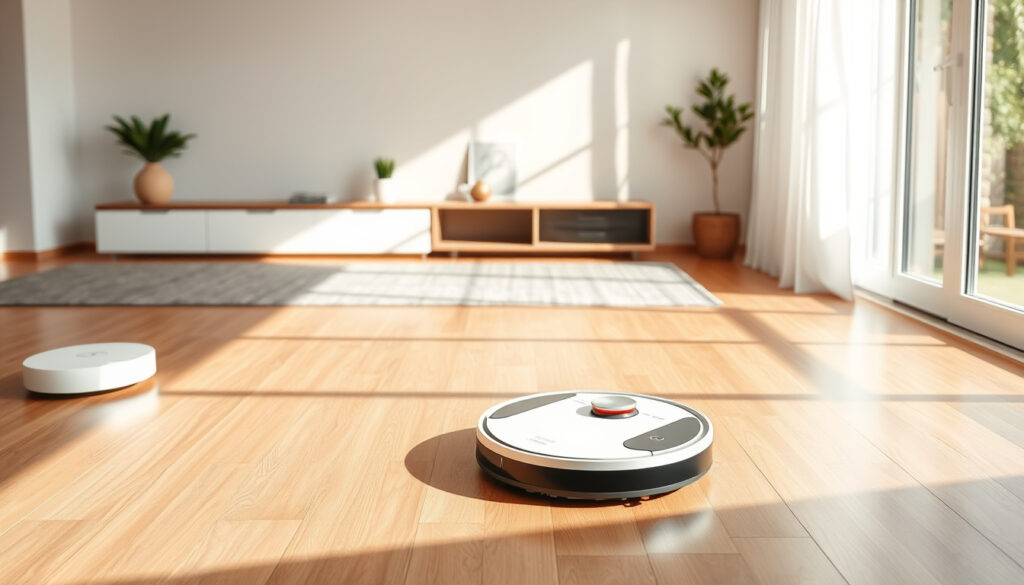
Robot Vacuum and Mop: Best Models, Lifespan & Buying Guide (2025)
Choosing a robot vacuum that also mops sounds like a no-brainer — until you start reading reviews and realise the mopping part is often more of a damp swipe than a proper clean. That’s not to say the combo can’t work well; it just depends on picking the right model for your floors and your expectations. This guide pulls together verified retailer pricing, expert test results, and maintenance reality to help Irish buyers find the best robot vacuum and mop for their home, whether they’re on a budget or ready to invest in self-emptying docks.
Average lifespan: 3 to 5 years · Average battery runtime: 90 minutes per charge · Typical price range: €200 – €1,500 · Most common cleaning mode: Vacuum and mop combined
Quick snapshot
- NYT’s top robot vacuum-mop pick can mop, but the mopping function is not required for operation.
- Reliable vacuuming for daily maintenance cleaning.
- Price: ~€800 – €1,200
- Eufy Clean X10 Pro – vacuum & mop with emptying station, €499 at Tommie Kelly Euronics (Irish retailer).
- Strong mopping for smaller homes. (Tommie Kelly Euronics (Irish retailer))
- Price: ~€300 – €500 (Tommie Kelly Euronics (Irish retailer))
- Self-emptying robots from €1,399.99 at Expert Ireland.
- Nearly all include heated mopping and AI obstacle avoidance.
- Price: ~€1,000 – €1,500
- Models with reliable obstacle detection and automatic carpet sensing – recommended by The Verge.
- Automatic carpet sensing lifts the mop pad when rugs are detected.
- Good for hard floors and low-pile carpets.
Which robot vacuum and mop is the best?
There is no single “best” model for every home. At the budget end, the Eufy Clean X10 Pro includes an emptying station and solid mopping for smaller homes.
For premium buyers, Expert Ireland lists self-emptying robots from €1,399.99, nearly all of which include heated mopping and AI obstacle avoidance.
The “best” model depends on whether you want a self-emptying dock or a lower upfront price. Anything under €500 still gives you a damp mop pad, but you’ll give up self-emptying and automatic carpet sensing.
- Battery life of 90 minutes covers about 100 m² on a single charge – sufficient for most Irish apartments and small houses.
- LiDAR or laser navigation beats random-bounce for efficiency, as The Verge notes.
- Entry-level robots vacuum adequately and add a damp mop pad, but lack self-emptying and carpet sensing.
The implication: if you have mostly hard floors and a small space, a €400 combo works fine. If you have thick carpets or a busy household, the extra €500 – €800 for self-emptying and carpet sensing is money well spent.
Is it worth getting a robot vacuum that mops?
For most homes, yes — if you want one device to handle daily dust, crumbs, and light tracked-in dirt in a single pass.
Newer models with a self-cleaning dock, like the Dreame L40 Ultra, wash and dry the mopping pad automatically, which reduces manual work.
A combo costs 20 – 30% more than a vacuum-only robot, and budget models may push a mop pad across rugs unless they have carpet sensing.
- Battery: a full charge typically gives one cleaning cycle of about 90 minutes.
- Mopping: the mopping pass is lighter than a dedicated mop — mainly for surface stains.
- Carpets: combos work on hard floors and low-pile carpets; the mop should lift or be disabled on rugs.
What this means: if daily automation matters more than deep cleaning, spend €500 – €800 on a combo with a self-cleaning dock. Keep a dedicated mop for occasional deep cleaning.
How often should you run a robot vacuum and mop?
Frequency depends on floor type, pets, and whether the mop lifts automatically when the robot hits a rug.
- Hardwood and hard floors: daily or every other day to control dust and light dirt.
- Low-pile carpets: every 2 – 3 days for dust and pet hair.
- Mopping mode: when hard floors look dusty or have light stains — usually two or three times a week.
A typical cleaning run takes 60 – 90 minutes to cover a 100 m² home on standard settings.
The routine: schedule the vacuum daily while you’re at work, and add mopping on alternate days if you have pets or high traffic.
What is the average lifespan of a robot vacuum?
- Average lifespan is 3 – 5 years, depending on usage and maintenance.
- Skipping maintenance is the fastest way to reduce its life.
- A well-cared-for robot can reach the 5-year mark.
If the battery will not hold a charge, replacement is often more practical than repair on cheaper robots.
The pattern: integrated mopping adds convenience, but also extra parts to maintain. Long-term reliability of combined robot vacuum and mop systems over 4 years is not yet well documented.
What is the best robot vacuum in 2026?
At the time of writing, 2025 models are the current recommendation, and expert tests still disagree on one overall winner.
Manufacturers are focusing on self-cleaning and self-emptying features rather than more suction alone.
- Value pick: Eufy Clean X10 Pro.
- Self-cleaning pick: Dreame L40 Ultra.
Which 2026 model will be the best is not yet known.
| Model | Best for | Mopping feature | Price |
|---|---|---|---|
| Eufy Clean X10 Pro | Budget / value | Vacuum & mop with emptying station | €499 |
| Dreame L40 Ultra | Self-cleaning dock | Washes and dries the mopping pad automatically | Not stated |
The takeaway: if you want a 2026-ready combo, prioritise a self-cleaning dock and automatic carpet sensing; those features do the most to make “vacuum and mop” practical day-to-day.
Pros and cons of robot vacuum and mop combos
Pros
- Convenience: one device handles daily dust, crumbs, and light mopping.
- Self-emptying and self-cleaning options reduce maintenance.
- Good for small homes, busy schedules, and low-pile carpets.
Cons
- Mopping effectiveness is lower than a dedicated mop — mainly for light cleaning.
- Combo cost is 20 – 30% higher than a vacuum-only model.
- Long-term reliability of integrated mopping systems is not well documented.
Bottom line: buy a robot mop vacuum for regular light cleaning and convenience; keep a dedicated mop for deep-cleaning tasks.
How to maintain your robot vacuum and mop: a step-by-step guide
- Empty the dustbin and check the brush roller after every run.
- Wash the mopping pad after use; replace it every 1 – 2 months or when it starts to smell.
- Use plain water or the manufacturer’s recommended cleaning solution. Avoid vinegar in the water tank.
- Wipe the cliff and wall sensors with a soft, dry cloth every couple of weeks.
- Replace the roller, filter, and side brushes according to the manufacturer’s schedule.
The trade-off: a self-cleaning dock costs more and adds parts to maintain, but it makes the mopping function realistic for daily use.
What experts say about robot vacuum and mop combos
Expert reviews consistently highlight three things: automatic carpet sensing is key, the mop should extend into corners and along edges, and the mop function should be easy to switch off.
- The Verge says a robot vacuum-mop should have a mop that can extend into corners and along edges.
- NYT’s top robot vacuum-mop pick can mop, but the mopping function is not required for operation.
The expert takeaway: if daily automation matters more than deep cleaning, spend €500 – €800 on a combo with a self-cleaning dock.
Related reading: How to Program a Garage Door Opener: Step-by-Step Guide (2025)
expert.ie, electrocity.ie, electrocity.ie, ca.style.yahoo.com, electrocity.ie, klarna.com, goodhousekeeping.com, appliancesdelivered.ie, very.ie, nytimes.com, grange.ie, heavins.ie
Frequently asked questions
Do robot vacuum and mop combos work on carpets?
They work on low-pile carpets in vacuum-only mode, but the mop should be lifted or disabled on carpets. Automatic carpet sensing helps.
Can a robot vacuum replace a traditional vacuum cleaner?
For daily maintenance, yes. For deep cleaning, no — you’ll still want a vacuum for edges, stairs, and high-pile carpets.
Do robot vacuums with mopping need special cleaning solution?
Most can use plain water. If you use a solution, stick to the manufacturer’s recommendation to avoid damaging the tank or sensors.
How long does a robot vacuum battery take to charge?
Most robots take 2 – 3 hours to recharge after a 90-minute cleaning run.
The bottom line: the best robot vacuum and mop for you is the one that fits your floors and your maintenance routine — and a self-cleaning dock makes that routine much easier.
More related posts
 What Relieves Bloating Fast: Expert Tips for Quick Relief
 What Is VO2 Max? How to Measure and Improve It
 St. Paul’s Garda Medical Aid: Cover, Claims, Dental & Contact Info
 Hotels in Donegal Town: Best Places to Stay
 How Old Is Martin Kemp? Age and Biography
 Arthur Onslow Edward Guinness, Viscount Elveden – Biography, Family and WWII Legacy
 Aston Villa vs Fulham F.C. Timeline: Head-to-Head Stats
 Member First Credit Union: North Dublin Loans & Branches