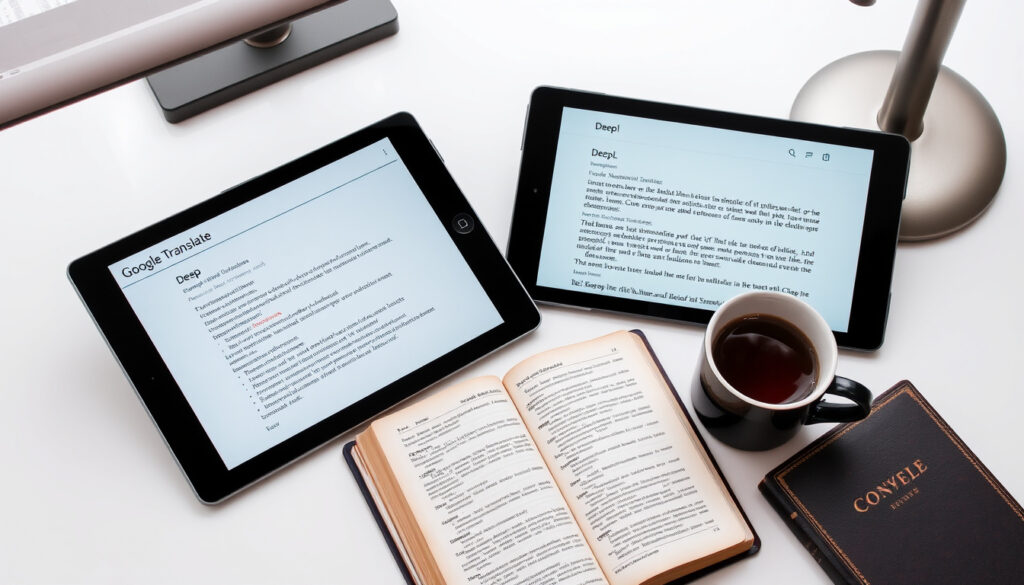
Translate Spanish to English: Google, DeepL & More Compared
Anyone who has stared at a Spanish email or a menu knows Google Translate can feel like magic and sometimes like a wild guess. This guide sorts out which tool to reach for — Google Translate, DeepL, SpanishDict — and which tasks each handles well, from documents and conversations to photos, with 2024 research showing machine interpretation is acceptable in some settings but below professional human interpretation overall.
Languages supported by Google Translate: Over 100 ·
DeepL accuracy claim versus competitors: 3x more accurate (based on blind tests) ·
Daily active users of Google Translate: More than 200 million
Quick snapshot
- Google Translate is free and supports text, voice, image, and offline workflows (Tencent RTC (real-time communications research)).
- DeepL lists Spanish and English among its popular translation directions (DeepL (official translator documentation)).
- A 2024 BYU thesis found no significant quantitative quality gap between human and machine translation in its tested data (BYU ScholarsArchive (academic translation research)).
- Which tool consistently wins across all tasks is unresolved: performance varies by language direction and evaluation category (National Library of Medicine (peer-reviewed study)).
- DeepL’s “3x more accurate” claim is vendor-published and not independently confirmed in the research reviewed here (DeepL (official translator documentation)).
- 2024: a peer-reviewed clinical study benchmarked English-to-Spanish machine interpretation at 0.83–0.96 accuracy and 0.60–0.81 fluency (National Library of Medicine (peer-reviewed study)).
- 2024: a BYU thesis applied the Multidimensional Quality Metrics framework to Spanish-English translation (BYU ScholarsArchive (academic translation research)).
- For medical, legal, immigration, or employment content, treat machine output as a draft and get human review (National Library of Medicine, peer-reviewed study). (Tencent RTC (real-time communications research))
- Download Spanish and English offline packs before you lose connectivity (Tencent RTC (real-time communications research)).
Nine facts, one pattern: the strongest accuracy signals come from independent research, not from vendor marketing.
| Fact | Finding | Evidence |
|---|---|---|
| Google Translate | Free, widely used; text, voice, image, and offline workflows | Tencent RTC (real-time communications research) |
| DeepL | Spanish and English among its popular directions; natural-language marketing | DeepL (official translator documentation) |
| Languages in DeepL | 31 per official product information | DeepL (official translator documentation) |
| 2024 clinical study | Machine apps acceptable in some English-Spanish settings; all tested apps below professional human interpretation | National Library of Medicine (peer-reviewed study) |
| Accuracy vs. fluency | 0.83–0.96 accuracy versus 0.60–0.81 fluency in the same study | National Library of Medicine (peer-reviewed study) |
| 2024 BYU thesis | No significant quantitative quality gap between human and machine translation in tested data | BYU ScholarsArchive (academic translation research) |
| Error patterns | Qualitative MQM analysis found human and machine errors differ in kind | BYU ScholarsArchive (academic translation research) |
| WordReference | Useful for regional meanings, idioms, and usage discussions | Vamos Spanish Academy (Spanish-language educators) |
| Reverso | Contextual examples for phrases and idioms | Promova (language-learning platform) |
How to use Google Translate for Spanish to English?
For most people, the first stop is Google Translate — and for good reason. It’s free, it’s fast, and it handles text, voice, image, and offline workflows from a single app (Tencent RTC, real-time communications research).
Step-by-step for text translation
- Open translate.google.com in any browser, or open the Google Translate app.
- Set Spanish as the source language and English as the target.
- Type or paste the text; the translation appears instantly.
- Use the speaker button to hear the English read aloud.
- When a phrase feels off, run the English back through Spanish and compare.
That last step is the highest-leverage habit in this guide. The 2024 BYU thesis found no significant quantitative quality gap between human and machine translation in its test data — but it also found different error patterns (BYU ScholarsArchive, academic translation research).
Using the web interface
- The browser version adds document upload for supported file formats.
- You can paste large blocks of text and read the English side by side with the Spanish.
- It works best for standard written Spanish rather than slang or conversational speech.
The quality ceiling depends on what you feed the tool, not just which tool you feed. Standard written Spanish — the kind in a newspaper or a careful email — translates far more reliably than slang, an idiom, or a specialized domain (BYU ScholarsArchive, academic translation research).
Mobile app features
- Camera mode translates signs, menus, labels, and screenshots.
- Conversation mode handles two-way spoken translation on Android and iOS.
- Offline packs keep the app working when you have no signal.
The mobile app matters most when Spanish arrives through your eyes or your ears rather than your keyboard. European Spanish and Latin-American Spanish differ in vocabulary, pronouns, pronunciation, and idioms, so the correct translation depends on where your audience lives (Vamos Spanish Academy, Spanish-language educators).
The implication: Google Translate is the best default because it removes friction, but it is a first-draft tool. The back-translation check is the feature that turns the machine’s confidence into a question you can verify.
The pattern: a tool that is easy to start with is not an excuse to skip the verification step.
Which translation tool is the most accurate for Spanish to English?
The phrase “most accurate” hides a trap: accuracy depends on task, language direction, and how you measure it. The peer-reviewed evidence says machine interpretation can be acceptable in some English-Spanish settings, but performance varies by direction and evaluation category — and every tested app fell below professional human interpretation overall (National Library of Medicine, peer-reviewed study).
DeepL vs. Google Translate accuracy benchmarks
- DeepL markets Spanish and English as a core direction and claims up to 3x more accuracy than competitors in blind tests (DeepL, official translator documentation).
- Google Translate counters with reach: text, voice, image, offline, and conversation modes (Tencent RTC, real-time communications research).
- The 2024 BYU thesis found no significant quantitative quality gap between human and machine translation in tested data — but it identified distinct error patterns between the two (BYU ScholarsArchive, academic translation research).
Notice what is missing: an independent lab has not confirmed DeepL’s 3x headline. It remains a vendor claim, so treat it as a directional signal, not a measurement (DeepL, official translator documentation). What the peer-reviewed data actually shows is more useful: machine interpretation is good enough for some settings, not good enough for others, and “fluent” and “accurate” are different scores.
The BYU thesis is worth sitting with. Quantitative quality looked similar to human translation; qualitative error analysis exposed different strengths and weaknesses (BYU ScholarsArchive, academic translation research). Machines make different mistakes than people do — which is exactly why a second pass changes the outcome.
SpanishDict translator features
- SpanishDict aims at learners: every translation comes with example sentences, conjugation tables, and pronunciation (Vamos Spanish Academy, Spanish-language educators).
- It is narrow by design — Spanish-English only — but the focus pays off in context.
- It answers the question other tools dodge: why this word and not that one.
SpanishDict is not the tool for a 10-page contract; it is the tool for understanding a word you just met. The learner-oriented design means you leave with a rule, not just a string of English (Vamos Spanish Academy, Spanish-language educators).
Translate.com reliability
- Translate.com packages free machine translation with paid professional human translation on a long-established domain.
- It supports a long list of languages, but its Spanish-English accuracy is not benchmarked in the research reviewed here.
- Use it as a fallback, or for a quick quote from a human translator, not as your primary accuracy source.
The honest summary: no independent study in our set compares Translate.com against Google Translate or DeepL for Spanish-English translation. Its reliability case rests on longevity and human review options, not published accuracy data.
The pattern: DeepL has the loudest accuracy claim and the least independent verification; Google has the broadest capability and the most peer-reviewed scrutiny; SpanishDict wins where context and learning matter more than volume.
The pattern: pick by job, not by logo — cross-checking and human review are what turn a fluent machine draft into a reliable translation.
How to translate Spanish to English in real-time?
Real-time translation is where the stakes feel lowest and the misfires feel loudest. Two people, two languages, one conversation — and no pause button.
Real-time conversation translation apps
- Google Translate’s conversation mode translates two-way dialogue on Android and iOS (Tencent RTC, real-time communications research).
- Microsoft Translator offers real-time conversation features as a strong alternative (Tencent RTC, real-time communications research).
- Both work best in quiet rooms with one speaker at a time.
The 2024 clinical interpretation study measured the real-world limits: English-to-Spanish accuracy ranged from 0.83 to 0.96, while fluency ranged from 0.60 to 0.81 (National Library of Medicine, peer-reviewed study). A translation can be smooth, confident, and wrong — the fluency score is the warning light.
Using Google Translate conversation mode
- Open the app, choose Spanish and English, and switch to conversation mode.
- Speak in turns and keep the screen visible so both people can read the translation.
- Tap the microphone to lock the language if the app keeps guessing wrong.
The setup is simple because the design goal is speed. The trade-off: voice features vary by device and product version, so the app on your phone may not behave like the app on a friend’s (Tencent RTC, real-time communications research).
Voice-to-voice translation tools
- Google Translate and Microsoft Translator both ship voice translation, with feature sets that differ by platform (Tencent RTC, real-time communications research).
- In noisy environments, accuracy drops — plan for that.
- For clinical or medical conversations, machine interpretation is not a substitute for a professional interpreter (National Library of Medicine, peer-reviewed study).
Real-time tools are built for the pharmacy counter, not the operating room. Use them to understand and be understood; for anything that creates a record, add a human interpreter.
How to translate Spanish to English documents (PDF, images)?
Documents change the calculus: you cannot copy-paste a scan, and a formatting disaster can be worse than a typo. The approach shifts from “translate this text” to “preserve this meaning and this layout.”
Translating PDF files online
- Google Translate’s web interface accepts document uploads for common file types.
- DeepL Pro supports full-document translation with formatting intact (DeepL, official translator documentation).
- Check the free tier’s file limits before uploading a long contract.
For a one-off PDF, upload beats copy-paste: paragraphs, tables, and headings stay roughly in place. The workflow stays the same — translate, cross-check, and get human review for anything that will be signed, filed, or relied on (National Library of Medicine, peer-reviewed study).
Using image translation with Google Translate
- Camera mode translates signs, menus, and screenshots in real time.
- You can upload a photo from your library and translate the text inside it.
- Image translation inherits the same weakness as text translation: fluent-looking output can still be semantically off (National Library of Medicine, peer-reviewed study).
Image translation is the least precise mode in the toolkit. It shines for a menu or a street sign — instantly, roughly, usefully — and it fails quietly when a wrong word matters.
Specialized document translation services
- For contracts, medical records, or immigration paperwork, free tools produce a draft, not a deliverable (National Library of Medicine, peer-reviewed study).
- Professional human review converts that draft into something you can file.
- DeepL Pro’s document mode is the closest step toward a finished document before human review (DeepL, official translator documentation).
The clinical study’s warning belongs on this page: for medical, legal, immigration, employment, and safety-critical content, machine translation should be treated as a draft or aid rather than a substitute for qualified human review (National Library of Medicine, peer-reviewed study).
Fluency and accuracy diverge: a sentence can read perfectly and still say the wrong thing. When a document has legal or medical weight, the human reviewer is not a luxury — the machine draft is only the first half.
What this means: free tools are enough for anything you will throw away, and great for anything you will immediately act on. For documents with consequences, the translation is only half the job; verification is the other half.
The catch: free document translation is a tool for speed, not a replacement for accountability — once the document carries consequences, a human sign-off is the actual deliverable.
How to translate Spanish to English conversation?
Conversation translation is distinct because you cannot pause to scrutinize an idiom. You need speed, a visible screen, and a fallback when the app stumbles.
Best apps for spoken translation
- Google Translate’s conversation mode is the most accessible default (Tencent RTC, real-time communications research).
- Microsoft Translator is a credible second option with its own real-time mode (Tencent RTC, real-time communications research).
- DeepL does not offer a conversation mode; it stays focused on written translation (DeepL, official translator documentation).
Pick your primary app based on which phone you carry and which offline packs you have already downloaded. Everything else is preference.
Setting up interpreter mode
- Select Spanish and English, then tap the conversation icon.
- Let the app auto-detect each speaker, or lock the language pair manually.
- Keep the screen up; reading the translation reduces mishearing.
The practical rule is turn-taking. The app expects one person to speak, then pause — overlapping speech is where real-time translation goes to die (Tencent RTC, real-time communications research).
Offline conversation translation
- Download the Spanish and English language packs before you travel (Tencent RTC, real-time communications research).
- Test offline mode at home so you know which features vanish without a connection.
- For high-stakes conversations, the offline app is still a draft, not a substitute for an interpreter (National Library of Medicine, peer-reviewed study).
Connectivity fails at the worst moments, which is why the preparation step is the real feature (Tencent RTC, real-time communications research).
Voice features, offline packs, and language support differ by device and product version. The app on your friend’s phone is not necessarily the app on yours — check your own settings before you rely on it.
Tool-by-tool: which Spanish-to-English translator should you pick?
Five options, one pattern: each one wins in a different context — general use, written polish, learning, idioms, or human review.
| Tool | Best for | Key limits | Evidence |
|---|---|---|---|
| Google Translate | Text, voice, image, offline, and conversation | Accuracy varies by direction and task | Tencent RTC (real-time communications research) |
| DeepL | Natural-sounding written Spanish-to-English | No live conversation mode; vendor benchmarks not independently verified | DeepL (official translator documentation) |
| SpanishDict | Learners: examples, conjugation, pronunciation | Spanish-English only | Vamos Spanish Academy (Spanish-language educators) |
| WordReference | Regional meanings, idioms, usage forums | Not a paragraph translator | Vamos Spanish Academy (Spanish-language educators) |
| Reverso | Contextual examples for phrases and idioms | Less suited to long documents | Promova (language-learning platform) |
The trade-off: the most accurate tool for your Spanish depends on the shape of your Spanish. A menu, a medical record, and a legal brief each have a different winner.
Machine translation: the upsides and the downsides
Upsides
- Free and immediate for everyday text, voice, and image translation (Tencent RTC, real-time communications research).
- Acceptable results in some English-Spanish interpretation settings (National Library of Medicine, peer-reviewed study).
- No significant quantitative quality gap versus human translation in the BYU test set (BYU ScholarsArchive, academic translation research).
- Offline packs keep working without connectivity if downloaded in advance (Tencent RTC, real-time communications research).
Downsides
- Every tested machine-interpretation app fell below professional human interpretation in a clinical study (National Library of Medicine, peer-reviewed study).
- Fluency (0.60–0.81) trails accuracy (0.83–0.96), so smooth output can still be wrong (National Library of Medicine, peer-reviewed study).
- Regional vocabulary, idioms, and Latin-American versus European differences are easy to mangle (Vamos Spanish Academy, Spanish-language educators).
- Medical, legal, immigration, employment, and safety-critical content needs human review (National Library of Medicine, peer-reviewed study).
Why this matters: the upside list is about speed and access; the downside list is about consequence. When the cost of a wrong word is high, the downside list wins.
A five-step workflow for accurate Spanish-to-English translation
This workflow works for a single email and for a 20-page report. It follows the methodology suggested by the peer-reviewed research: translate, cross-check, and verify before the output becomes an action.
- Match the tool to the task. Google Translate for text, voice, image, and offline; DeepL for polished written output; SpanishDict for learning; WordReference for idioms (Tencent RTC, real-time communications research; DeepL, official translator documentation; Vamos Spanish Academy, Spanish-language educators).
- Run the first pass. Type, paste, upload, or speak; keep the original visible next to the translation.
- Cross-check the lines that matter. Run the English back through a second tool, or compare two translators on the same Spanish, and inspect the differences (National Library of Medicine, peer-reviewed study).
- Verify regional meaning. European and Latin-American Spanish differ in vocabulary, pronouns, and idioms; make sure the translation matches your audience (Vamos Spanish Academy, Spanish-language educators).
- Get human review for anything official. Medical, legal, immigration, employment, and safety-critical content should never rely on a machine draft alone (National Library of Medicine, peer-reviewed study).
The pattern: each step adds a checkpoint, and each checkpoint turns a confident machine error into a fixable one.
What’s confirmed, what’s not
Confirmed facts
- Google Translate is free and supports text, voice, image, and offline workflows (Tencent RTC (real-time communications research)).
- DeepL lists Spanish and English among its popular directions and markets natural-language output (DeepL (official translator documentation)).
- Machine interpretation was acceptable in some English-Spanish settings but below professional human interpretation overall (National Library of Medicine (peer-reviewed study)).
- A 2024 BYU thesis found no significant quantitative quality gap between human and machine translation in its tested data (BYU ScholarsArchive (academic translation research)).
What’s unclear
- Which tool is “most accurate” across every task and language direction — the evidence varies by setting and evaluation category (National Library of Medicine, peer-reviewed study).
- Whether DeepL’s 3x accuracy claim holds up outside vendor-run blind tests (DeepL, official translator documentation).
- How quality changes as models update; the research reviewed here is a snapshot, not a long-term curve.
- How each tool handles your specific regional variety of Spanish until you specify your audience (Vamos Spanish Academy, Spanish-language educators).
Why this matters: the confirmed list is where you can spend money and trust; the unclear list is where you verify before you rely.
What reviewers and researchers say
Two voices summarize the debate: the researchers who measure the risk, and the industry analysts who map the practical limits.
“For medical, legal, immigration, employment, and safety-critical content, machine translation should be treated as a draft or aid rather than a substitute for qualified human review.”
— National Library of Medicine, peer-reviewed clinical interpretation study
“Offline translation is especially useful for travel and low-connectivity situations, but users should download the relevant Spanish and English language packs before losing connectivity.”
— Tencent RTC, voice-translation industry analysis
The common thread: neither source tells you to stop using automatic translation. Both tell you where to stop trusting it.
The practical takeaway: automatic translation is the best free assistant for Spanish-to-English work — and it is still an assistant, not a co-author. For everyday messages, menus, and quick documents, Google Translate’s text, voice, and image modes save you minutes; for polished written prose, DeepL often reads more naturally. For medical, legal, immigration, employment, or published content, the research is unambiguous: machine interpretation is acceptable in some settings but below professional human interpretation overall, so route it through a qualified bilingual reviewer before anyone relies on it (National Library of Medicine, peer-reviewed study). For Spanish speakers translating into English — and for English speakers working the other way — the decision is clear: use the right tool for the right task, cross-check the lines that matter, and treat human review as the last step, not an option.
Frequently asked questions
Is Google Translate free?
Yes. Google Translate is free to use and supports text, voice, image, and offline workflows (Tencent RTC, real-time communications research).
Does DeepL offer a free plan?
Yes — DeepL has a free tier with usage limits, and a paid Pro tier for heavier use and full-document translation (DeepL, official translator documentation).
Can I translate Spanish to English offline?
Yes, if you download the Spanish and English language packs before you lose connectivity (Tencent RTC, real-time communications research).
How accurate is Google Translate for Spanish?
In a peer-reviewed clinical interpretation study, machine apps were acceptable in some English-Spanish settings but fell below professional human interpretation overall, with accuracy (0.83–0.96) running ahead of fluency (0.60–0.81) (National Library of Medicine, peer-reviewed study).
What is the best app for translating conversations?
Google Translate’s conversation mode is the most accessible option; Microsoft Translator is a strong alternative with real-time features of its own (Tencent RTC, real-time communications research). Both work best in a quiet room, one speaker at a time.
How do I translate a PDF from Spanish to English?
Upload the PDF to Google Translate’s web interface, or use DeepL Pro’s document translation mode, then cross-check important passages (DeepL, official translator documentation).
Can I translate a picture of Spanish text?
Yes — Google Translate’s camera mode translates text in signs, menus, and photos in real time (Tencent RTC, real-time communications research). Treat the result as a quick reading, not a certified translation.
The answers above cover the everyday cases: free tools work for casual translation, but any document with legal, medical, or official weight needs human review.
More related posts
 Urban Decay Setting Spray Review: Is It Worth the Hype
 Ireland Weather Forecast: Frost Tonight – Met Éireann Alerts
 Boylesports 49 Results Today: Prize Breakdown & Draw Times
 Flags of the World: Complete List, History & Quiz Help
 Best Papa a la Huancaina Near Me: Find Local Spots
 Amsterdam Christmas Market 2025: Dates & Tips